Device
Overview
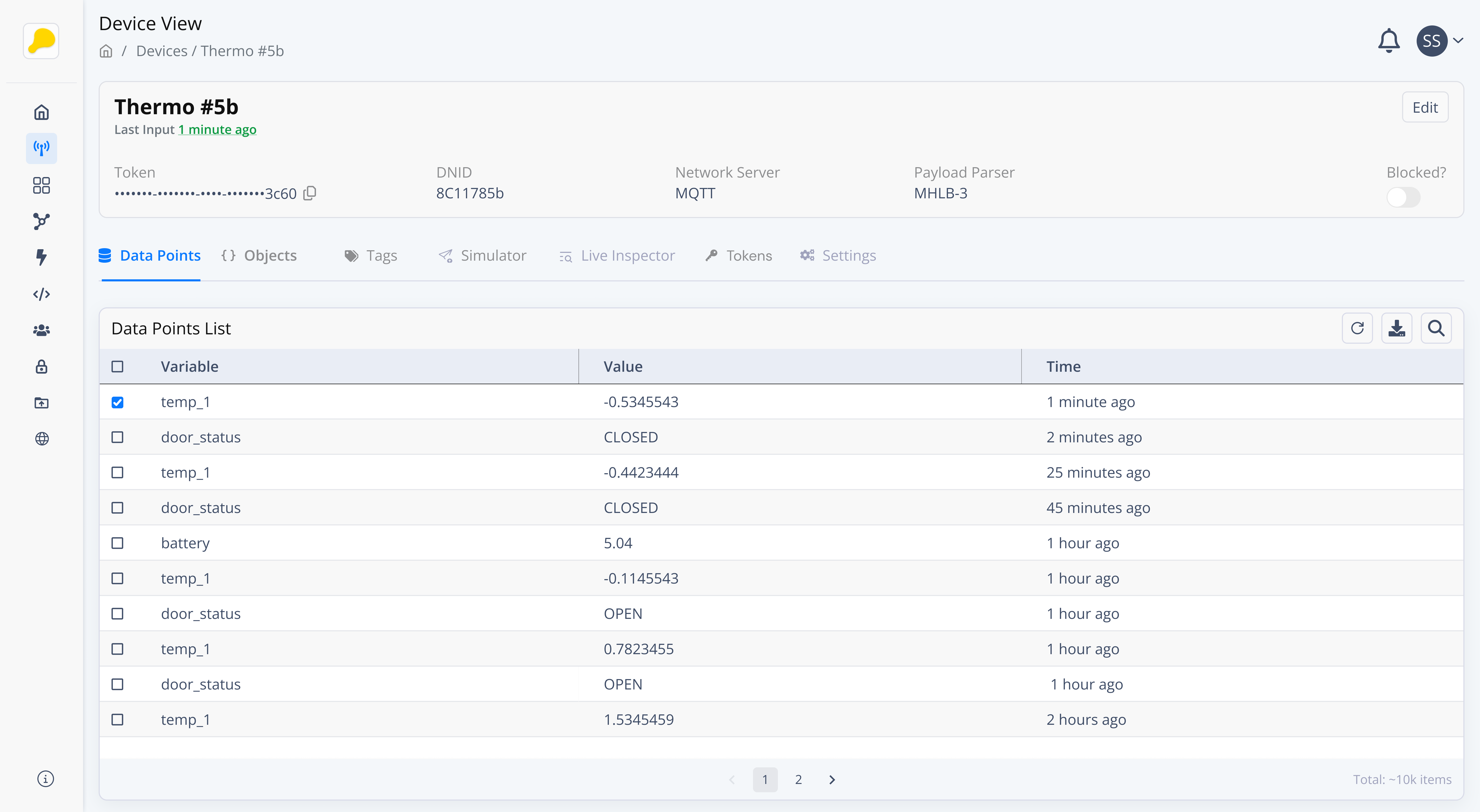
The Device represent the physical or virtual components that connect to the platform to send and receive data. These Devices can include examples such sensors, actuators, gateways, controllers, API endpoint, or pratically any thing that sends data. Each Device is uniquely identified and can be managed individually or through a Network. Devices are the core components of your IoT ecosystem, enabling you to collect, monitor, and control data in real-time.
The Devices and Entities are referred to as Data Sources. They share the same structure and can hold data from different types of sources (endpoints).
Key Characteristics
- Data Transmission: Devices can send and receive data using supported protocols such as
HTTPSandMQTTby default, as well asother protocols(LoRaWAN, TCP/IP, Cellular, etc) using a middleware. - Data Storage: Devices can store
historical datagenerated by your physical or virtual components (Datapoints). They can also storestructured data(Objects). - Tags: Devices can be labeled with tags for easy categorization and filtering. Tags help you to
manageandgroupdevices based on attributes like location, type, or functionality, simplifying management and operations.
Use Cases
- Time-Series Data Storage: Seamlessly connect with any IoT device to collect and store time-series data, enabling historical analysis and trend monitoring.
- Data Integration: Integrate with APIs or external data sources to gather and centralize data, ensuring a unified platform for all your data collection needs.
Device/Entity Creation
To access the Devices page, go to the Valeiot Console and click Devices in the left sidebar.
To create a new device, click the "+ Device" button in the top-right corner of the table and follow the steps below.
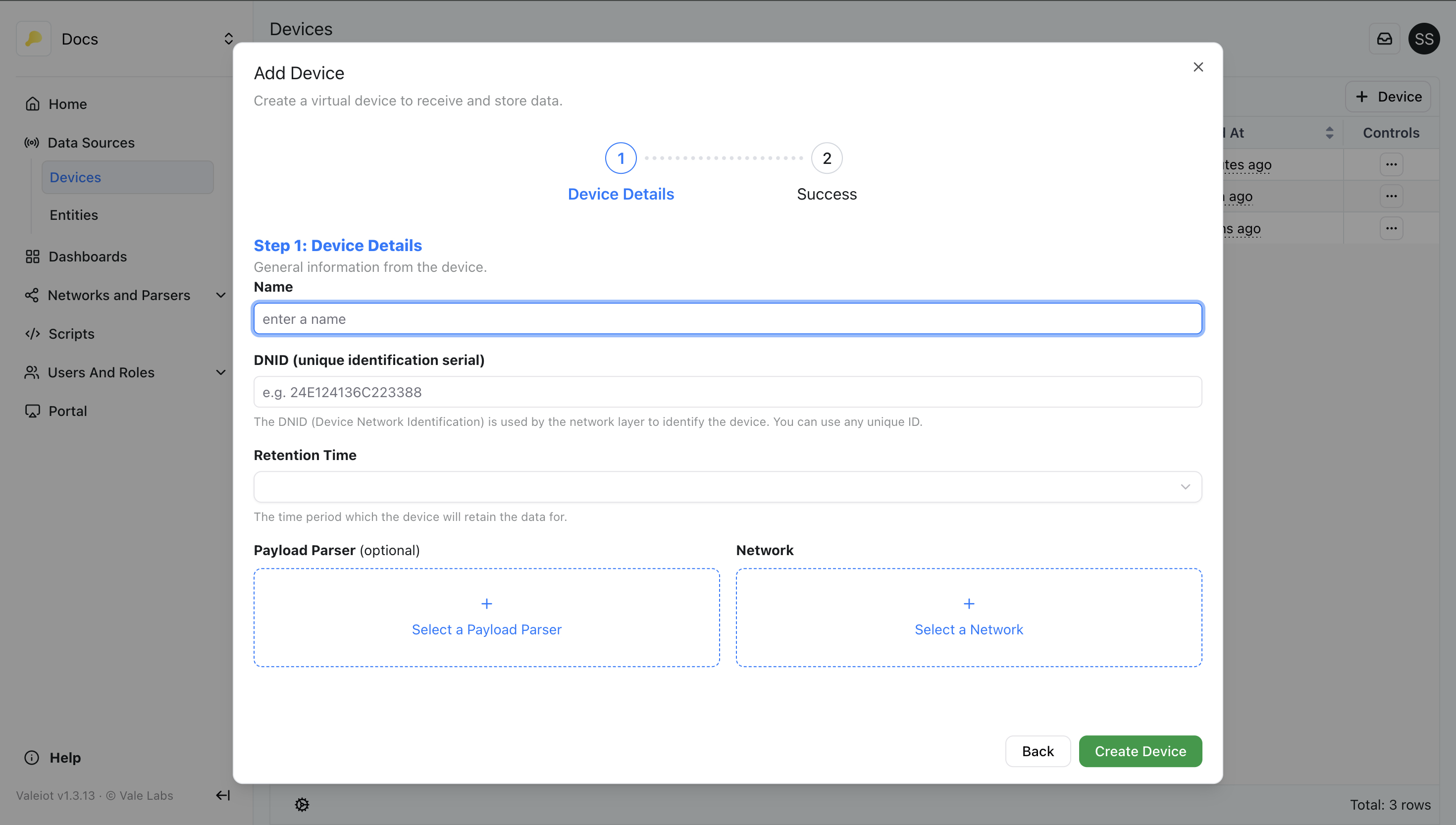
Step 1: Device/Entity Details
Name
The name of the data source.
DNID
The DNID (Datasource Network Identification) is a unique identifier used by the Network to identify the Data Source. You can use the EUI, ID, or Serial Number as the DNID.
The DNID will always be forced to lowercase.
Retention Time
The period of time the data source will retain datapoints.
Payload Parser (optional)
This field is optional. Select a Payload Parser if you want to process the end-point payload before storing the data.
Network
Select a Network. This field is required because every data source belongs to a Network. A Network represents a group of data sources that can be accessed using a network token.
Sending Data
To learn how to send data to your Device, check out the section Sending Data.