HTTPs
By default, devices in Valeiot support HTTPs protocols out of the box. Follow the steps below to send data using HTTPs.
The API Docs are an essential reference to use alongside these instructions. They are currently not publicly available. To request access, please email us at support@valeiot.com.
HTTPs via Data Source Token
This method allows you to add data points to a data source (device or entity) by authenticating with its Data Source Token.
- Obtain the
Data Source Token(e.g. us1:v6MdpTWrvH508Y72o5D4sz3aMWR); - In the API Docs locate the
POST /datasource/datapointsendpoint; - Configure your request:
- Add the
Authorization headerwith the Data Source Token (e.g. Bearer us1:v6MdpTWrvH508Y72o5D4sz3a). - Include the data to be inserted into the device in the JSON body.
- Add the
- Send the request. If successful, you will receive a confirmation response similar to the example below:
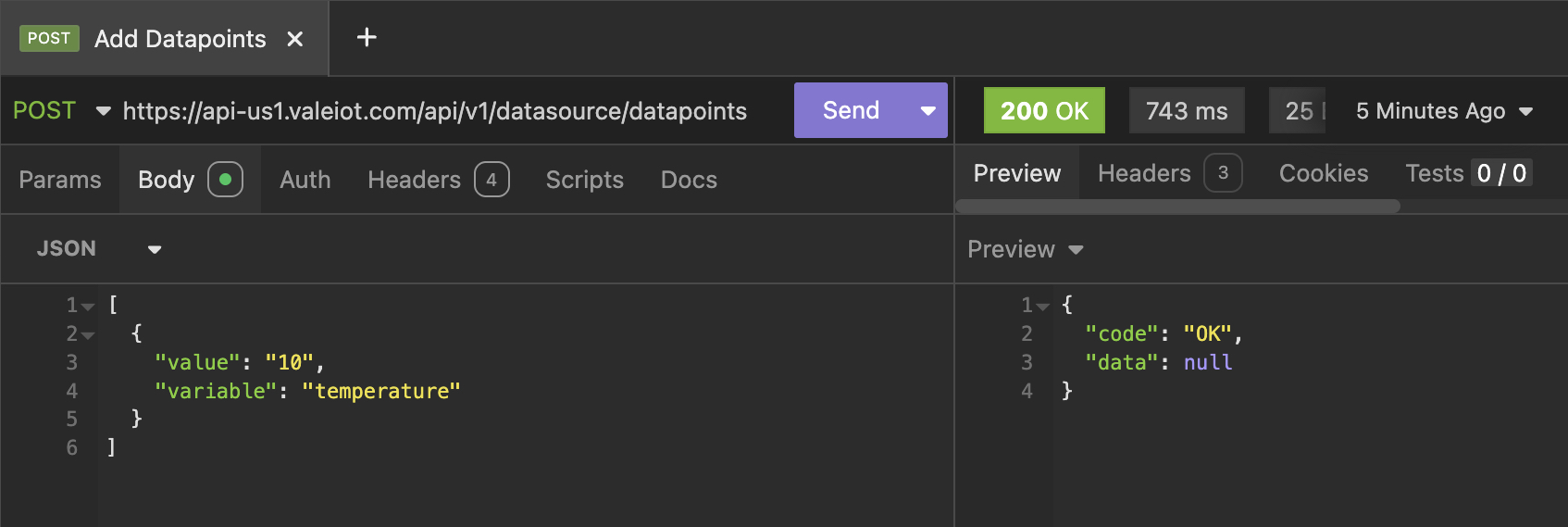
You can also copy and paste the cURL example below into your API management tool. Replace the placeholders (here) with your own values.
curl --request POST \
  --url https://api-here.valeiot.com/api/v1/datasource/datapoints \
  --header 'Authorization: Bearer here' \
  --header 'Content-Type: application/json' \
  --data '[
  {
    "value": "10",
    "variable": "temperature"
  }
]'
- [EXTRA] If the request does not return a success response, check the following common issues:
Authorization header:The token must be prefixed with Bearer . For example:Bearer us1:xxxxxIncorrect host:Ensure the correct host is used. In the example above, the host is us1. You can determine your host from the Data Source Token (e.g., us1:xxxxx).Data format:If your payload does not follow the Valeiot Data Point format, you must configure a Payload Parser to adapt the incoming data before insertion.
HTTPs via Network Token
This method allows you to add data points to a Data Source within a Network (group of Data Sources) authenticating with the Network Token.
- Obtain the
Network Tokenwhich the device is within (e.g. us1:R3dEnYKixxc99K25pp4gNcdg0zvL7gzmqvSGm3d6lOR4yxABfSaBFtqVKEY9eW); - In the API Docs locate the
POST /network/datasource/datapointsendpoint; - Configure your request:
- Add the
Authorizationheader with the Network Token (e.g. Bearer us1:v6MdpTWrvH508Y72o5D4sz3a). - Add the
DNIDheader - Include the data to be inserted into the device in the JSON body.
- Add the
- Send the request. If successful, you will receive a confirmation response similar to the example below:
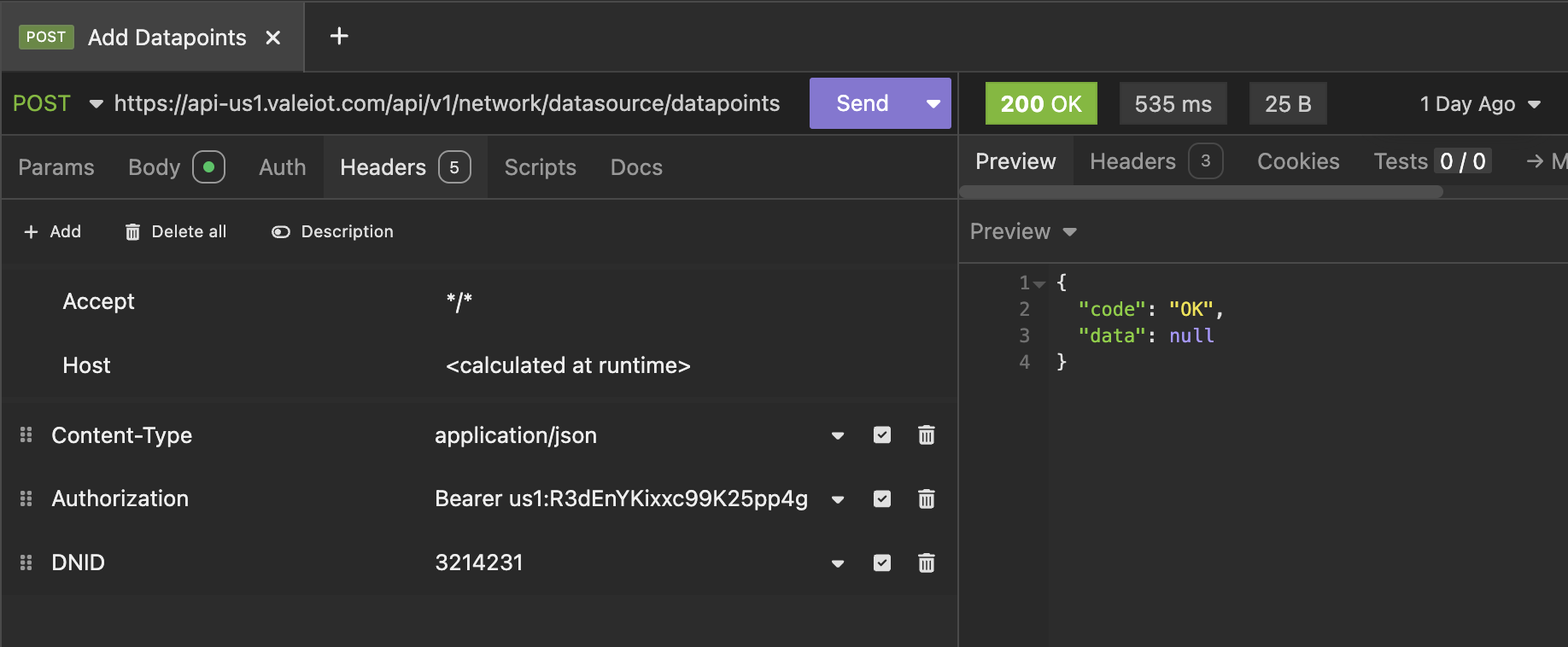
You can also copy and paste the cURL example below into your API management tool. Replace the placeholders (here) with your own values.
curl --request POST \
  --url https://api-here.valeiot.com/api/v1/network/datasource/datapoints \
  --header 'Authorization: Bearer here' \
  --header 'Content-Type: application/json' \
  --header 'DNID: here' \
  --data '[
  {
    "value": "11",
    "variable": "temperature"
  }
]'
- [EXTRA] If the request does not return a success response, check the following common issues:
Authorization header:The token must be prefixed with Bearer . For example:Bearer us1:xxxxxDNID header:The DNID must match the DNID defined for the Data Source.Incorrect host:Ensure the correct host is used. In the example above, the host is us1. You can determine your host from the Device Token (e.g., us1:xxxxx).Data format:If your payload does not follow the Valeiot Data Point format, you must configure a Payload Parser to adapt the incoming data before insertion.